Infrastructure as Code
Infrastructure as Code (IaC) is an approach within the DevOps methodology that leverages versioning and descriptive models to define and automate the deployment of computing infrastructure components such as networks, virtual machines, load balancers, and connection topologies.
The fundamental principle of IaC is that, similar to how source code generates the same binary consistently, an IaC model reliably generates an identical infrastructure environment each time it is deployed. This practice shifts infrastructure management from manual, error-prone procedures to automated, machine-readable configuration files, enabling a more consistent and repeatable provisioning process.
IaC empowers development and operations teams to automate infrastructure management safely and efficiently, yielding multiple benefits, including improved consistency, reduction of manual errors, accelerated provisioning, enhanced collaboration, and simpler rollback or updates. It facilitates scalable infrastructure provisioning across diverse environments such as cloud platforms, virtual machines, and physical hardware, thereby supporting modern DevOps workflows by tightly integrating infrastructure management into continuous integration and continuous delivery (CI/CD) pipelines.
Supporting technologies for IaC commonly utilise domain-specific languages such as HashiCorp Configuration Language (HCL), YAML, and JSON. Additionally, the infrastructure defined by IaC is often immutable, meaning updates are applied by redeploying the entire environment rather than modifying it in place, which further enhances stability and traceability. Overall, IaC fosters automation, reliability, scalability, and maintainability in infrastructure management, which are critical for efficient and agile software delivery processes.
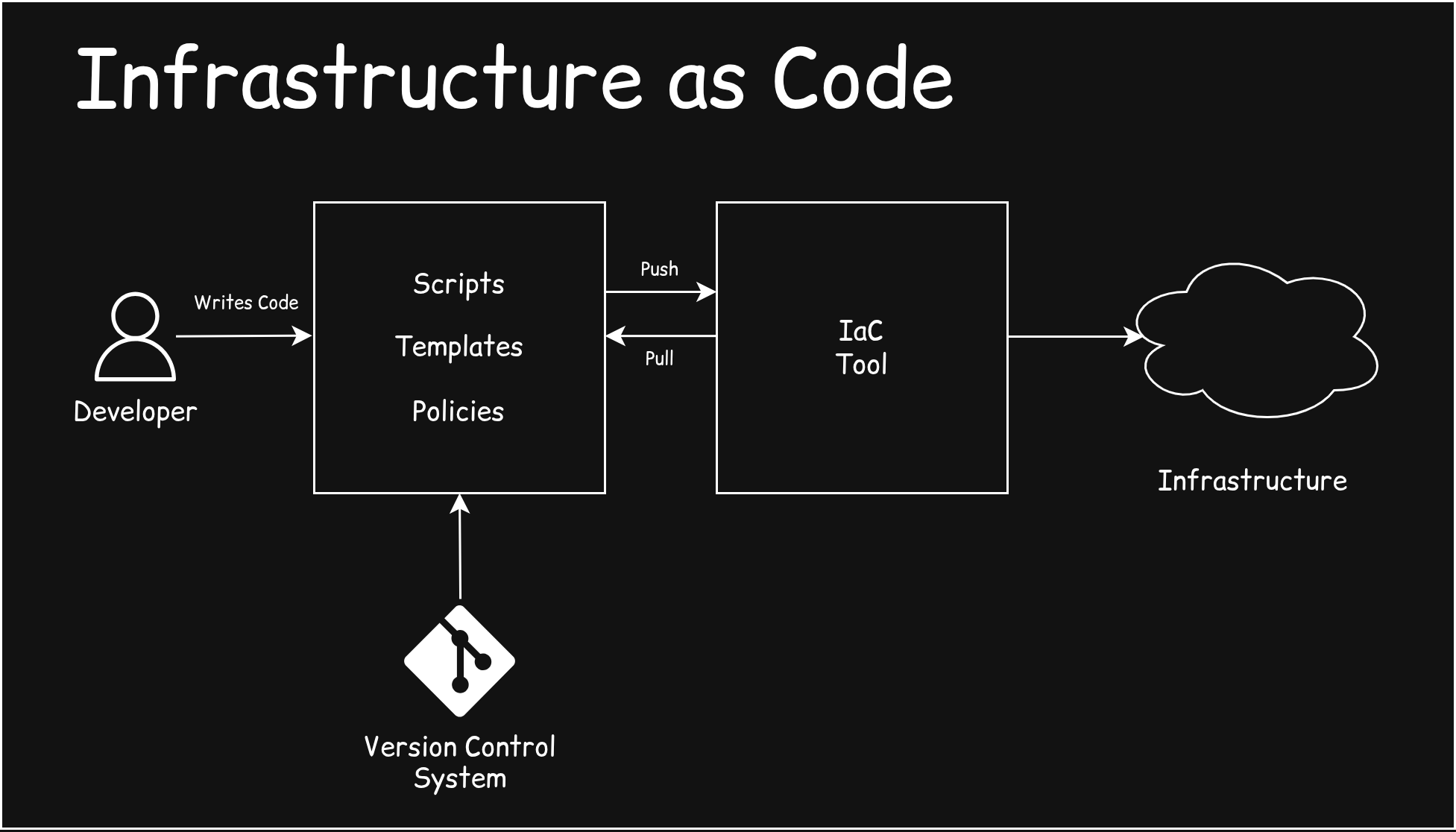
Using infrastructure as code, we could create infrastructure such as (for AWS):
Compute resources such as EC2 instances (virtual machines) and Auto Scaling Groups.
Networking components like Virtual Private Clouds (VPCs), subnets, route tables, Internet gateways, NAT gateways, and security groups.
Storage services include S3 buckets, Elastic Block Store (EBS) volumes, and Glacier archives.
Databases such as RDS instances, DynamoDB tables, and ElastiCache clusters.
Serverless functions using AWS Lambda.
Identity and Access Management (IAM) roles, users, groups, and policies for securing your infrastructure.
Load balancers, CloudFront distributions, and other related networking resources.
Monitoring and logging setups using CloudWatch alarms, log groups, and SNS topics.
Other AWS services like SQS, SNS, API Gateway, ECS clusters, and more.
Tools for IaC
*Terraform: An open-source, declarative tool that uses Hashicorp Configuration Language (HCL).
AWS CloudFormation: AWS-native declarative IaC tool.
*Pulumi: Offers infrastructure definitions using real programming languages like TypeScript, Python, or Go.
*Ansible: Primarily a configuration management tool but also used for IaC. It is agentless and uses YAML-based playbooks to automate infrastructure provisioning and configuration. Primarily, it’s used for automation tasks rather than as an IaC tool.
Azure Resource Manager (ARM) and Bicep (Microsoft): ARM templates are JSON-based and used for Azure resource provisioning. Bicep is a more concise language built on top of ARM to simplify authoring.
gcloud CLI: It enables us to create, manage, and automate GCP resources directly from the command line.
*Multi-cloud support, they can work with most of the cloud providers.
Why we need IaC?
Consider a three-tier architecture like this:
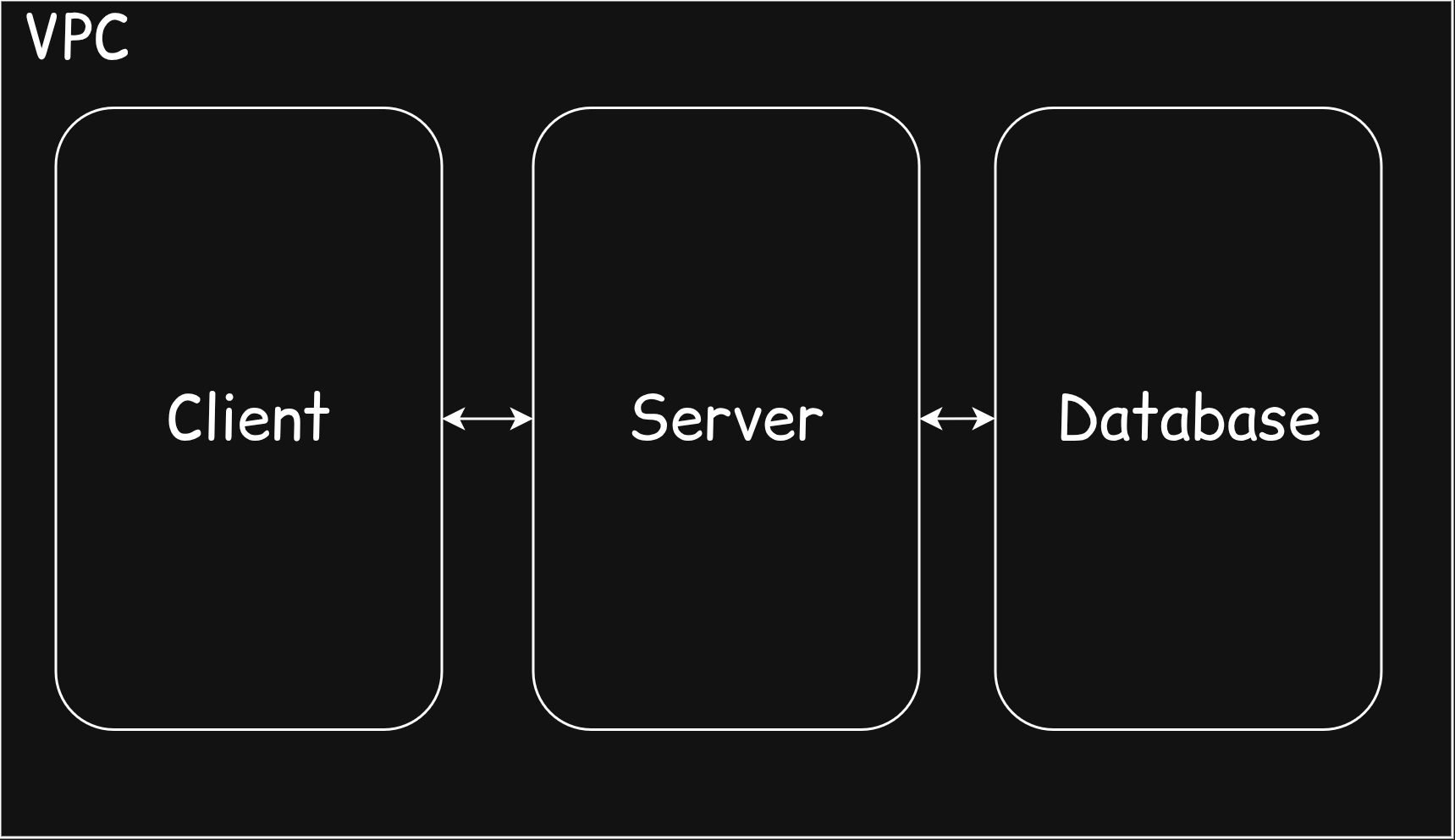
If we try to provision a system like this, using the cloud CLI, it should take about 1-2 hours of time to provision it manually. Like IAM roles, security groups, ports, mapping, resource allocation, namespace, and VPC creation.
At an organisational level, we have different environments. For example: dev, test, pre-prod, prod, infra, etc. So if we need to create the same system for each environment, how much time does it take for a DevOps team to configure it daily? This is a pain. But if we could use the IaC, we could write the script, policies and others in a file and push it to a version control system; we could create the infrastructure for every environment within minutes. Additionally, in big organisations, there will be about 500 - 1000 applications running, and we can’t provision the infrastructure manually at scale and securely due to human errors.
Adding the task to destroy the same infrastructure, the same process again. This is the primary reason why we use infrastructure as code and tools like Terraform.
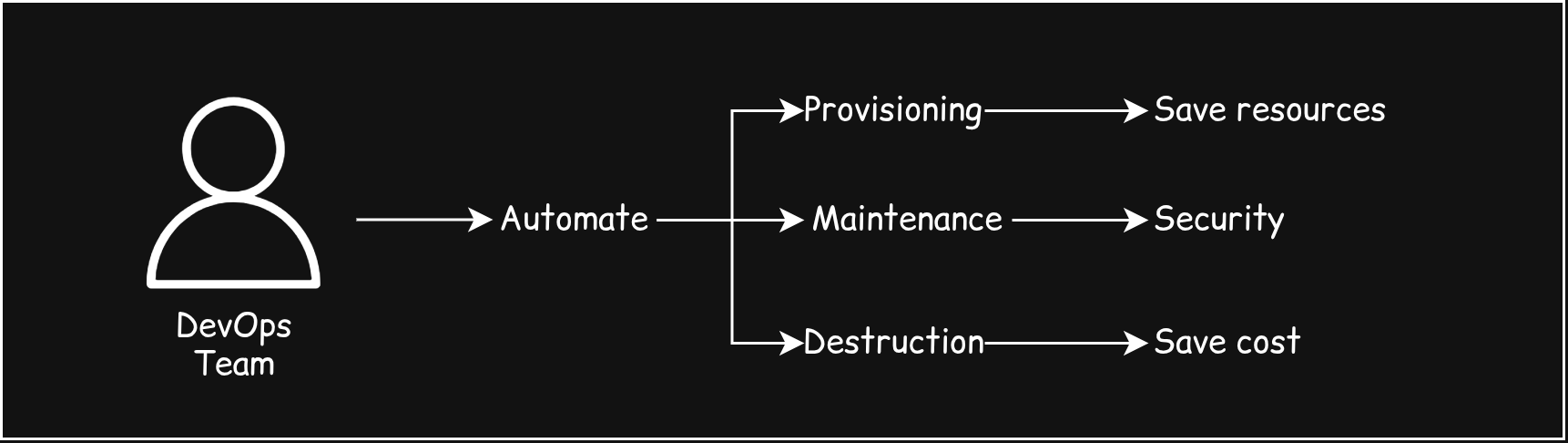
Using Terraform, we could save time, maintain costs, increase productivity among the team, better security, better maintenance, version control, etc.
Terraform
Terraform is an IaC tool used widely among teams and organisations to provision their infrastructure. We write Terraform files in HCL(Hashicorp configuration language) .tf file. HCL serves as a domain-specific language for infrastructure automation.
Terraform architecture:
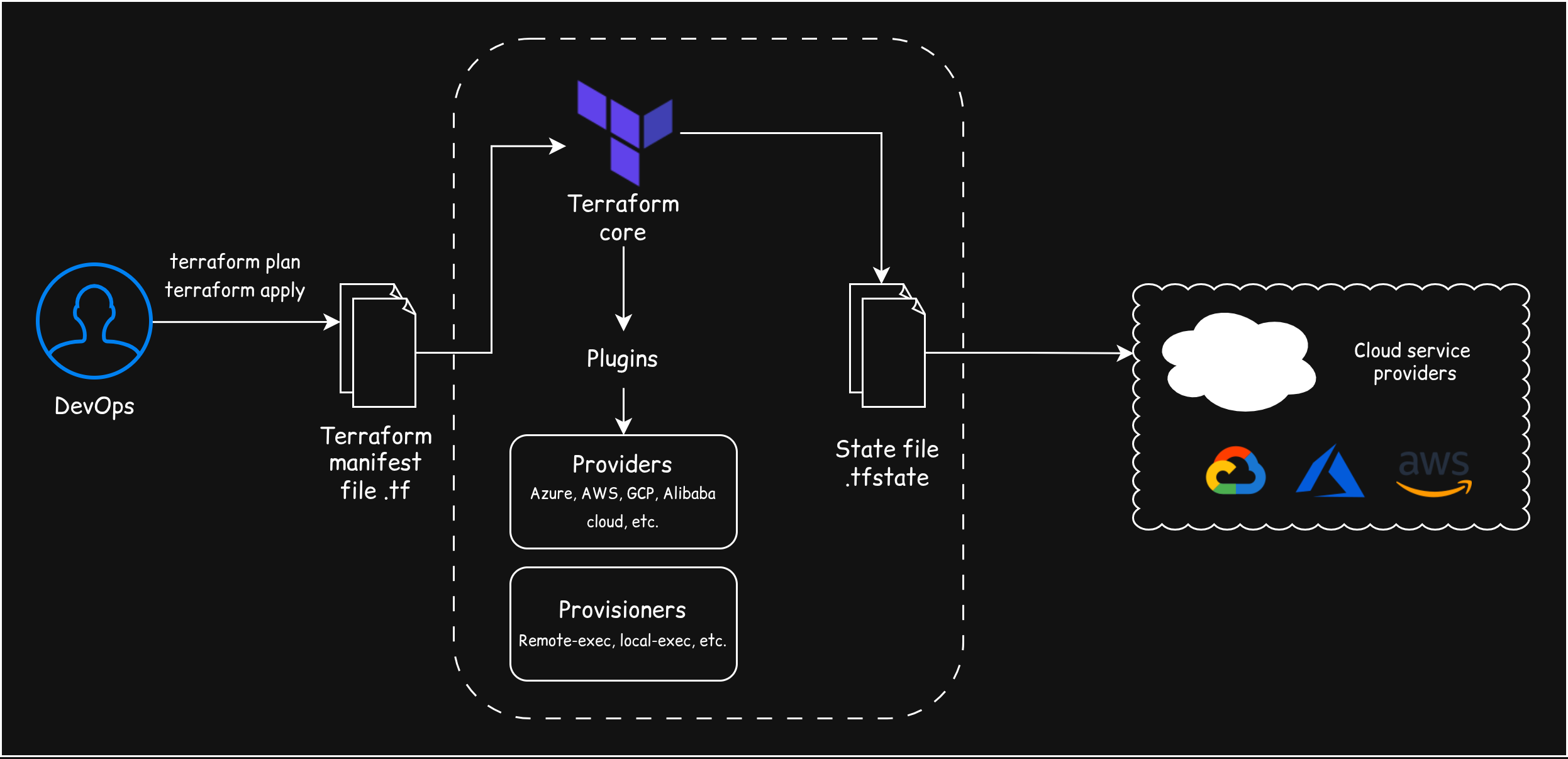
DevOps Engineer: Writes the desired infrastructure configuration in Terraform manifest files (with a
.tfextension).- First run
terraform plan(to see what changes will happen) andterraform apply(to make the changes).
- First run
Terraform Core: The Terraform core processes the manifest files and determines the necessary actions.
Plugins (Providers and Provisioners):
Providers: These are the key to interacting with different services. They translate the desired configuration from the core into specific API calls for different Cloud Service Providers (e.g., AWS, Azure, GCP, Alibaba Cloud).
Provisioners: These execute scripts on local or remote machines to configure software inside the infrastructure after it's been created (e.g., installing a web server).
State File (
.tfstate): Terraform creates and updates a State file that records the real-world status of the infrastructure it has deployed. This file:Maps the resources defined in your
.tffiles to the actual resources running in the cloud.Allows Terraform to know exactly what to update or destroy when you run a new command.
Cloud Interaction: The core, using the Providers, communicates with the respective Cloud Service Providers to create, modify, or destroy the actual infrastructure resources.
Terraform state file (terraform.tfstate) is a crucial component that allows Terraform to both manage (monitor/update) and destroy your infrastructure. It’s a core memory for Terraform.
A few important commands used in Terraform:
terraform init: Initialises a working directory containing Terraform configuration files by downloading provider plugins, modules, and setting up the backend. This is the first command you run before other operations.terraform validate: Checks the Terraform configuration files for syntax errors and validity without accessing any remote APIs or making changes.terraform plan: Creates an execution plan by comparing the current infrastructure state with the desired configuration, showing what actions Terraform will take without making changes.terraform apply: Executes the actions proposed in the plan to create, update, or delete resources to match the configuration.terraform destroy: Removes all resources defined in the Terraform configuration, effectively tearing down the provisioned infrastructure.
Installing Terraform
This link will directly take you to the Terraform download page: Install Terraform.
There are instructions to download for specific operating systems, from macOS to Linux. I use pacman as the package manager in my Linux system. If you use pacman, you can use;
sudo pacman -S terraform
terraform -v
# (optional) use this as acronym
alias tf=terraform
So then you will get a response: Terraform v1.14.0 on linux_amd64.
Want to learn more? Check out the video:
https://youtu.be/s5fwSG_00P8?si=WW_i2QRearHajLKM
Arigato!